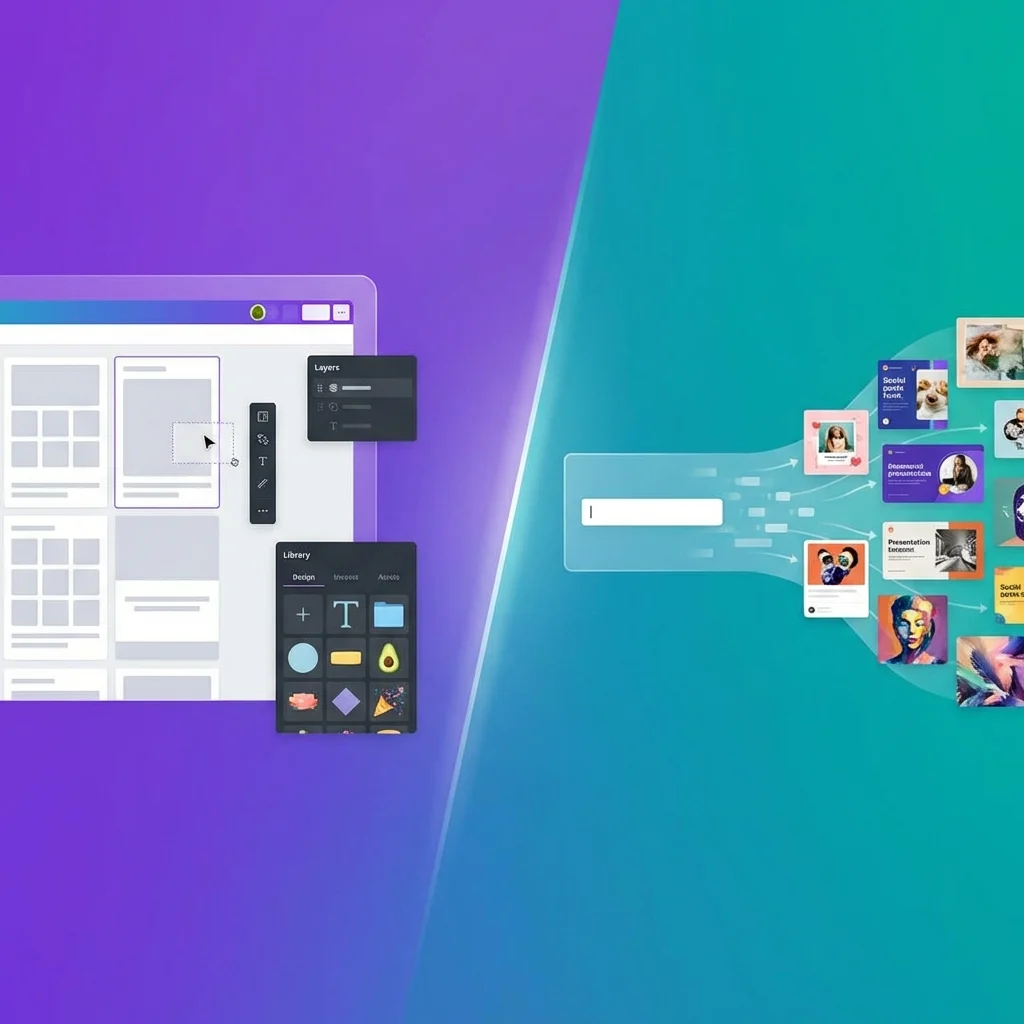
Avocad vs Canva: Which Ad Creator Is Right for You?
Canva is one of the most popular design tools in the world, and for good reason. It's democratized design for millions of people who never thought they could create professional-looking graphics.
But when it comes specifically to creating ad creatives, is it the best tool for the job? And how does it compare to purpose-built AI ad generators like Avocad?
Let's break this down honestly.
Disclaimer: Pricing and features accurate as of January 2026. We recommend verifying current details on each platform's website.
Quick Comparison
| Aspect | Canva | Avocad |
|---|---|---|
| Primary approach | Template-based design tool | AI-generated, brand-specific ads |
| Learning curve | Medium (need to learn the editor) | Minimal (describe → generate) |
| Brand consistency | Manual (user ensures consistency) | Automatic (extracts from website) |
| Time to first ad | 15-30 minutes | 3-5 minutes |
| Free tier | Yes (limited) | Yes (free credits) |
| Paid pricing | ~₹500/month (Pro) | Credit-based, pay per use |
| Best for | DIY designers, general graphics | Quick ad generation, brand automation |
What Canva Does Well
Let's give credit where it's due. Canva is excellent at many things:
Massive Template Library
Canva offers hundreds of thousands of templates across every imaginable category—social media posts, presentations, business cards, posters, and yes, ads. If you need a starting point, Canva has one.
Full Design Editor
Canva provides a complete design editor with layers, elements, text tools, photo editing, and more. If you want granular control over every aspect of your design, Canva delivers.
Beyond Ads
Canva isn't just for ads. It handles presentations, documents, videos, websites, and more. If you need one tool for all your visual content, it's a strong contender.
Collaboration Features
Teams can share designs, create brand kits, leave comments, and manage approvals. For organizations with multiple designers, this is valuable.
Price for Unlimited Use
Canva Pro is a flat monthly fee with unlimited designs. If you're creating a high volume of various graphics (not just ads), the economics are favorable.
Where Avocad Takes a Different Approach
Avocad isn't trying to be Canva. It's focused on a specific problem: creating on-brand ad creatives quickly.
Brand DNA Extraction
When you give Avocad your website URL, it analyzes your existing brand identity—colors, fonts, visual patterns. This means generated ads automatically match your brand without manual configuration.
Canva has Brand Kits (in Pro), but you have to set them up manually and remember to apply them.
AI Generation vs Template Selection
With Canva, you browse templates, select one, and customize it. The template you choose is the same template available to everyone else.
With Avocad, you describe what you need, and AI generates options specifically for your brand. No two businesses get identical outputs.
Speed to Finished Ad
Canva requires you to:
- Find a template
- Customize colors to match your brand
- Swap images
- Edit text
- Adjust sizing for different platforms
Avocad requires you to:
- Enter your website URL (first time only)
- Describe what you need
- Select from generated options
The Avocad workflow is significantly faster for ad-specific use cases.
Focus on Advertising
Canva is a general-purpose design tool that happens to have ad templates. Avocad is built specifically for advertising creative—the outputs are optimized for ad performance, not general design aesthetics.
When to Choose Canva
Canva is the better choice when:
You Need More Than Ads
If you're creating presentations, social media posts, documents, flyers, business cards, and ads—Canva's versatility is valuable. One subscription covers everything.
You Want Full Design Control
Some people enjoy the design process. If you want to place every element exactly where you want it, tweak colors precisely, and have creative control over every pixel, Canva provides that.
You Have Time to Learn
Canva's learning curve isn't steep, but it exists. If you're willing to invest time in learning the tool, you'll get more out of it.
Your Team Already Uses It
If your organization has Canva embedded in its workflow, adding another tool creates friction. Sticking with Canva may be simpler.
When to Choose Avocad
Avocad is the better choice when:
Speed is Priority
If you need ads now—for a flash sale, trending moment, or time-sensitive campaign—Avocad gets you there faster.
Brand Consistency Matters
If maintaining brand identity across all ads is critical and you don't want to rely on manual consistency checks, Avocad's automatic brand extraction helps.
You Don't Want to Learn Design
Some business owners just want ads without becoming designers. Avocad's "describe and generate" workflow doesn't require design skills.
You're Testing Variations
Need 5-10 variations for A/B testing? AI generation creates variations instantly, while manually customizing templates for each variation is time-consuming.
You're a Small Business Owner Wearing Many Hats
If marketing is one of twelve things you do daily, you need tools that minimize time investment. Avocad is built for this reality.
The Hybrid Approach
Some businesses use both:
- Canva for general design work—presentations, social posts, internal documents
- Avocad for ad creatives specifically—faster, on-brand, optimized for advertising
This isn't about choosing one forever. It's about using the right tool for the right job.
Pricing Comparison
Canva
- Free: Limited templates, 5GB storage
- Pro: ~₹500/month (annual)—unlimited templates, Brand Kit, premium content
- Teams: ~₹700/user/month—collaboration features
Avocad
- Free credits: Try without payment
- Credit-based: Pay per generation, pricing scales with usage
- Best for: Businesses creating ads periodically rather than constant high-volume design work
Bottom Line
Canva is a Swiss Army knife—versatile, capable of many things, requires some skill to use effectively.
Avocad is a specialized tool—focused on one thing (ad creatives), designed for speed and brand consistency, minimal learning required.
If you're running a business and need quick, on-brand ads without becoming a designer, Avocad was built for you.
If you need a complete design toolkit for varied creative work and don't mind the learning curve, Canva is excellent.
Many businesses find value in both.
Ready to see how fast you can create on-brand ads? Try Avocad free at avocad.xyz.
— The Avocad Team