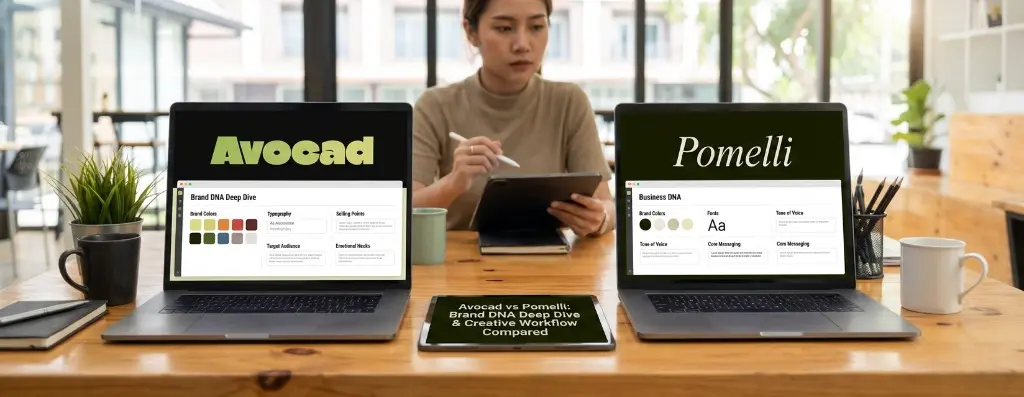
Avocad vs Pomelli: Brand DNA Deep Dive & Creative Workflow Compared
Both Avocad and Google's Pomelli start with the same premise: paste a URL, and AI will figure out your brand identity. Avocad calls it Brand DNA. Pomelli calls it Business DNA.
But the name is where the similarity ends. The depth of extraction, how the data gets used, and what you can do with it afterward are fundamentally different.
This post goes deep on both approaches so you can understand which gives you better results for actual advertising work.
Disclaimer: Analysis accurate as of February 2026. Pomelli is in public beta. Features may evolve.
How Brand Extraction Works: Side by Side
Step 1: URL Input
Both tools start identically. You enter your website URL and hit "Analyze."
Pomelli scans your public website pages and builds a "Business DNA" profile. The process takes about a minute.
Avocad analyzes your URL and extracts a comprehensive brand blueprint. You can choose between two analysis modes:
- Brand Analysis — for company/profile-level ads (analyzes the overall brand presence)
- Product/Service Analysis — for specific product or service ads (analyzes the product page directly)
This distinction matters. An ad for "Nike" is different from an ad for "Nike Air Max 90." Avocad makes this separation explicit at the URL analysis stage itself.
Pomelli doesn't make this distinction — it builds one general Business DNA profile.
Step 2: What Gets Extracted
Here's where the meaningful differences emerge.
Pomelli extracts:
- Brand colors
- Fonts and typography
- Image style and aesthetic preferences
- Tone of voice
- Logo identification
- Core messaging
This is solid for generating marketing content that "looks right." The outputs feel visually consistent with your brand.
Avocad extracts:
- Brand/product name — auto-identified from the website structure
- Description — a concise summary of what the brand or product is
- Visual identity — brand colors (up to 4, editable with color pickers), typography, design elements
- Selling points — specific competitive advantages and value propositions
- Target audience — who the brand's customers are (demographics, interests, behaviors)
- Emotional hooks — personality traits and messaging themes
- Brand archetypes — classifications like Sustainable, Innovative, Modern, Organic, Tech-Forward, Playful, Creative
- Design description — analysis of the visual style (minimal, bold, luxury, etc.)
The critical difference: Avocad doesn't just extract what your brand looks like — it extracts what your brand says, who it speaks to, and why people should care.
For advertising, this strategic context is what separates a pretty image from an effective ad.
Step 3: Review & Customize
Pomelli's approach: Minimal customization
Pomelli shows you the extracted Business DNA and lets you flag things as "not quite right." You can provide natural language feedback to adjust, but the customization is conversational — not structured.
You get one brand profile. If you manage multiple brands, you're limited on the free tier to a single profile.
Avocad's approach: Full editable control
After extraction, Avocad presents all extracted data in an editable form with a showcase view and an edit mode. You can:
- Edit every field — name, description, selling points, target audience
- Adjust brand colors — interactive color pickers, add/remove colors (up to 4)
- Upload a logo — drag-and-drop, with crop preview
- Upload reference images — up to 3 images for style, product, or model reference
- Save as Brand Kit — save the entire configuration for reuse across multiple campaigns
- Update existing Brand Kit — modify and save changes to a previously saved kit
The Brand Kit system is worth highlighting. Once saved, a brand kit can be loaded instantly without re-analyzing the URL. This saves time when running recurring campaigns for the same brand or product.
Avocad supports multiple brand kits — useful for agencies managing different clients or businesses with multiple product lines.
Creative Generation Workflow
Pomelli's workflow
- Enter URL → Business DNA extracted
- Choose content type (Instagram post, Google Ad, YouTube asset, etc.)
- Pomelli generates options
- Flag as "not quite right" or provide text-based feedback
- Pomelli regenerates
- Download asset
The workflow is conversational and approachable. However, you have limited structural control over what gets generated.
Avocad's workflow
- Enter URL → Brand DNA extracted (or select saved Brand Kit)
- Review and customize extracted brand details
- Configure campaign settings:
- Ad description — describe your creative vision (e.g., "Instagram story ad, new launch, premium minimal look")
- Promotional info — offer details (e.g., "Apply 'SUMMER20' for 20% off")
- Keywords — words you want included in the creative
- Include human models — toggle on/off for AI-generated human models
- Set output specs:
- Aspect ratio (10 options from 1:1 to 21:9)
- Resolution (1K, 2K, or 4K)
- Upload assets (logo + up to 3 reference images)
- Generate → AI creates the ad through stages: Drafting Copy → Rendering Pixels → Finalizing
- Post-generation editing:
- Brush edit — paint a mask and describe changes for targeted inpainting
- Text edit — modify text elements directly
- Re-scale — change resolution or aspect ratio
- Undo/Redo — navigate through edit history
- Jump to any version — navigate image history
The key difference: Avocad gives you structured, advertising-specific inputs that tell the AI exactly what kind of ad to create. Pomelli gives you general content options and conversational refinement.
Brand Kit Management
Pomelli
- Single brand profile per free account
- Re-analysis required if website changes significantly
- No structured brand kit storage for multiple brands
- Profile is conversational — not a structured data model
Avocad
- Multiple brand kits — save and manage as many as you need
- Structured data — each kit stores: name, description, brand colors, selling points, target audience, logo, and more
- Instant loading — select a saved brand kit and skip the URL analysis step entirely
- Editable after saving — update colors, selling points, or any detail and save changes
- Session tracking — see how many ads have been created with each brand kit
- Delete and re-create — full lifecycle management
For businesses running campaigns across multiple brands, products, or seasonal themes, Avocad's brand kit system is a genuine workflow advantage.
Output Quality & Control
Resolution
| Resolution | Pomelli | Avocad |
|---|---|---|
| Standard | ✓ | ✓ (1K) |
| HD | Limited | ✓ (2K) |
| 4K | — | ✓ |
Aspect Ratios
| Ratio | Pomelli | Avocad |
|---|---|---|
| 1:1 | ✓ | ✓ |
| 4:5 | ✓ | ✓ |
| 9:16 | ✓ | ✓ |
| 16:9 | ✓ | ✓ |
| 2:3 | — | ✓ |
| 3:2 | — | ✓ |
| 3:4 | — | ✓ |
| 4:3 | — | ✓ |
| 5:4 | — | ✓ |
| 21:9 | — | ✓ |
Post-Generation Editing
| Capability | Pomelli | Avocad |
|---|---|---|
| Text-based refinement | ✓ (conversational) | ✓ (text edit + prompts) |
| Brush/mask editing | — | ✓ (AI inpainting) |
| Resolution upscaling | — | ✓ |
| Aspect ratio change | Regenerate required | ✓ (re-scale) |
| Edit history (undo/redo) | — | ✓ |
The Real-World Difference
Let's say you're creating a Meta ad for a new skincare product launch with a 20% discount.
With Pomelli:
- Enter your website URL
- Pomelli builds Business DNA
- Select "Instagram ad" as the content type
- Pomelli generates an option
- It looks okay, but the color palette is slightly off and the CTA doesn't mention the discount
- Type "add 20% off to the CTA and use warmer tones"
- Pomelli regenerates — maybe better, maybe not
- Download and hope the dimensions work for your placement
With Avocad:
- Select saved Brand Kit (or enter URL for Brand DNA extraction)
- Verify extracted selling points and target audience — edit if needed
- Set ad description: "Instagram feed ad, new product launch, clean minimal aesthetic"
- Set promo info: "Apply 'SKIN20' for 20% off"
- Toggle: Include human models — On
- Upload: product hero image as reference
- Set: 4:5 aspect ratio, 2K resolution
- Generate
- The ad comes out with the right dimensions, your brand colors, the discount prominently featured, and a human model
- Use brush edit to adjust the background in one area
- Download in the exact format needed
The difference is precision. Avocad's structured workflow eliminates the conversational back-and-forth that Pomelli requires.
Summary
| Dimension | Google Pomelli | Avocad |
|---|---|---|
| Brand extraction depth | Good (visual + tone) | Deeper (strategic + visual) |
| Customization after extraction | Conversational | Structured, field-level editing |
| Brand kit management | Single profile | Multiple saved kits |
| Ad-specific inputs | General content prompts | Campaign settings, promo, keywords |
| Output control | Basic presets | 10 ratios, 3 resolutions |
| Post-generation editing | Text-based refinement | Brush, text, re-scale, history |
| Reference image support | — | Up to 3 |
| Logo control | Auto-extracted | Upload + auto-placement |
Bottom Line
Pomelli's Business DNA is great at making your social content look visually consistent with your brand. It's the right tool if you need "on-brand Instagram posts" quickly.
Avocad's Brand DNA is built for advertising — where knowing your selling points, target audience, and campaign context isn't optional; it's what determines whether the ad converts.
If your goal is branded content, Pomelli works. If your goal is ads that perform, Avocad goes deeper where it matters.
Want to see how deep Brand DNA goes for your business? Try Avocad free at avocad.xyz.
— The Avocad Team