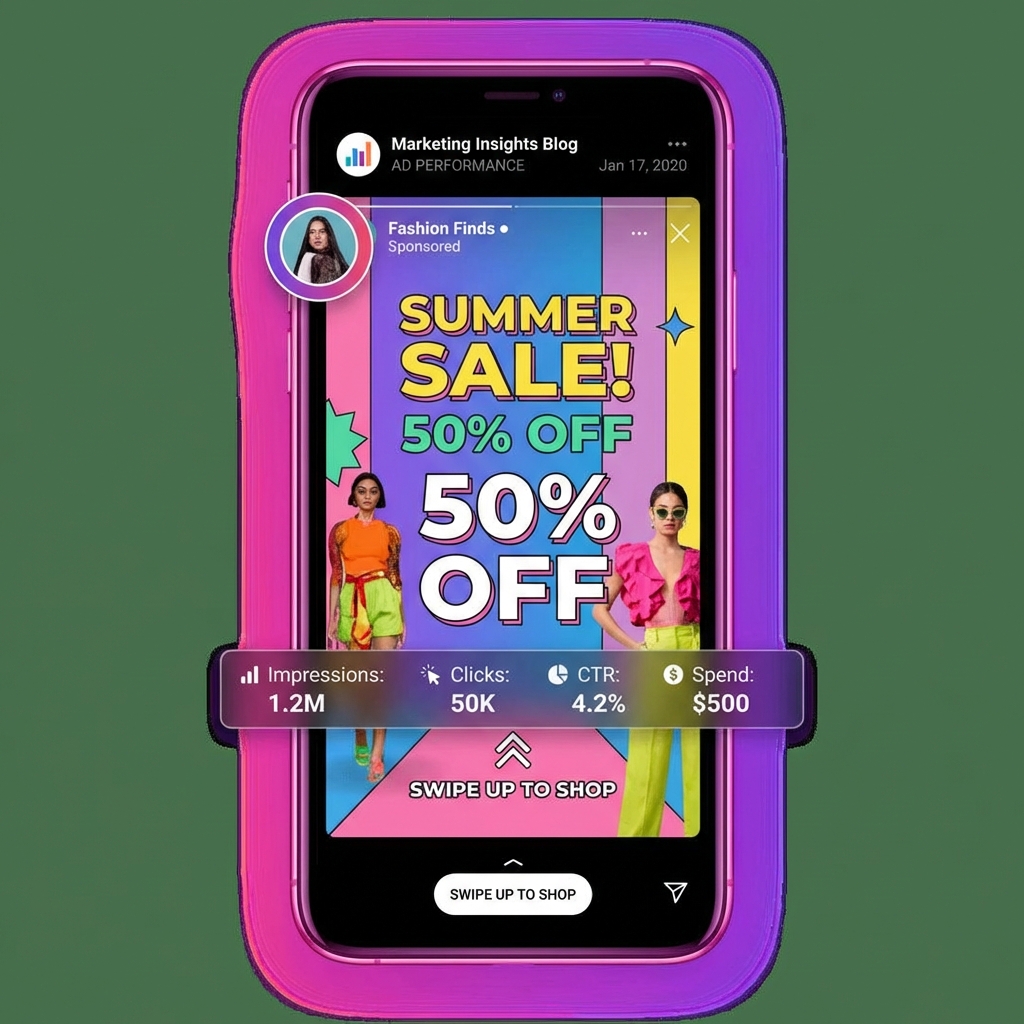
How to Create Instagram Story Ads That Stop the Scroll
Instagram Stories reach over 500 million daily users. These users are engaged, tapping through content actively. For advertisers, Stories represent an opportunity to reach audiences in an immersive, full-screen environment.
But the same qualities that make Stories effective also make them challenging. Users tap quickly. Content that does not capture attention immediately gets skipped.
This guide covers everything you need to create Instagram Story ads that stop the scroll, communicate value, and drive action.
Understanding the Stories Environment
Before designing for Stories, understand how people use them.
The Tap Behavior
Story viewers tap at their own pace. Average view time is 2-3 seconds before the next tap or swipe. Some viewers tap quickly, spending less than a second per story.
Implication: Your message must be instantly clear. No buildup. No reveal at the end.
The Fullscreen Experience
Stories fill the entire screen. No distractions. No feed scroll. Total attention or total skip.
Implication: Design for immersion. Use the full canvas deliberately.
The Sound Question
About 60% of Stories are viewed with sound on, but you cannot depend on it.
Implication: Design for sound-off by default. Use sound as enhancement.
The Native Feel
Users prefer Stories that feel like content, not advertisements.
Implication: Highly polished ads can feel intrusive. Balance quality with authenticity.
Technical Specifications
Get the basics right before focusing on strategy.
Dimensions and Format
Aspect Ratio: 9:16 (vertical full screen) Resolution: 1080 x 1920 pixels File Types: MP4 or MOV for video, JPG or PNG for image Video Length: Up to 120 seconds (but shorter performs better) Recommended Length: 5-15 seconds
Safe Zones
Top and Bottom 14%: Interface elements appear here (profile icon, reply bar). Avoid critical content.
Safe Area: Center 72% of vertical space is fully visible.
Text Specifications
Primary Text: Up to 125 characters visible Headline: Not displayed in Stories format CTA: Use swipe up or interactive stickers
The Story Ad Framework
Effective Story ads follow a specific structure.
Element 1: The Opening Hook (0-1 second)
You have less than one second to earn continued attention.
Visual Hook Options:
- Motion starting immediately
- Human face or eyes
- Unexpected visual
- Bold color or contrast
- Text that starts mid-sentence
Avoid:
- Logo animations
- Fade from black
- Text that requires reading time
- Anything that looks like an ad template
Element 2: The Value Delivery (1-5 seconds)
Once you have attention, deliver the value quickly.
What to Communicate:
- What the product is or does
- Why it matters to the viewer
- What the offer is
Delivery Methods:
- Text overlay with motion
- Product demonstration
- Before/after visual
- User testimonial clip
Element 3: The Call to Action (Final Beat)
End with clear direction.
Effective CTAs:
- "Swipe Up to Shop"
- "Get 30% Off Now"
- "Tap to Learn More"
Visual CTA Enhancement:
- Arrow animations pointing up
- Button-like graphics
- Repeated CTA text
Creative Approaches That Work
Approach 1: The Problem and Solution
Structure:
- Open with problem statement (relatable frustration)
- Introduce product as solution
- Show result or benefit
- CTA
Example Script: Second 1: "Tired of creams that promise but never deliver?" Second 2-4: Product application showing texture and quality Second 4-6: Glowing result or testimonial Second 6-8: "Get visible results in 2 weeks. Shop now."
Approach 2: The Demonstration
Structure:
- Open with product in action
- Show key feature or benefit
- Reinforce with text overlay
- CTA
Works Best For:
- Products with visual benefits
- Technology with clear function
- Before/after scenarios
Approach 3: The UGC Style
Structure:
- Open with authentic-looking content
- User speaks to camera or shows product
- Benefit communication feels organic
- Subtle CTA
Works Best For:
- Younger audiences
- Relatable products
- Trust-building messaging
Approach 4: The Offer Focus
Structure:
- Open with bold offer statement
- Product visual or selection
- Urgency element
- CTA
Example: "FLAT 50% OFF EVERYTHING" (large text motion) Product carousel or hero image "Ends midnight" (countdown feeling) "Shop now before it is gone"
Design Best Practices
Typography Rules
Size: Headlines at minimum 40pt. Body text at minimum 24pt.
Contrast: White text needs shadows or outlines on light backgrounds. Dark backgrounds work best for text.
Animation: Moving text catches attention. Static text can be missed.
Density: Maximum 3-4 words per screen at any time.
Color Strategy
Bold Backgrounds: Solid colors or gradients perform better than busy backgrounds.
Brand Color Pop: Use brand colors for key elements but not necessarily as backgrounds.
Contrast for CTAs: CTA buttons or text should stand out from overall palette.
Motion Principles
Start Moving: Begin with motion, never static.
Pace Quickly: New elements every 2-3 seconds maximum.
Smooth Transitions: Cuts work, but smooth motion feels more native.
End with Motion: Keep the CTA engaging with animation.
Creating Stories Without Video Production
Video production seems expensive. But effective Story ads do not require full production.
Method 1: Animated Images
Take static product images and add motion:
- Zoom effects
- Text animations
- Transition between images
- Background movement
Tools like Canva, CapCut, or Avocad can add motion to static images.
Method 2: Screen Recording Style
Record your screen showing the product on your website or app. Add text overlay explaining the value.
Method 3: Slideshow Sequences
Create 2-4 static images that tell a story. Use the Stories carousel format or combine into a video.
Method 4: User Generated Content
Collect customer videos or create authentic-feeling content with your phone. Less polished can feel more native.
Writing for Stories
Story ad copy follows different rules than feed ads.
Text Overlay Rules
Be Concise: 3-7 words per text overlay maximum.
Lead with Benefit: "Clear skin in 2 weeks" not "Our new vitamin C formula."
Use Statement or Question: "Struggling with acne?" or "Finally, clear skin."
Add Power Words: Free, New, Limited, Exclusive, Secret, Finally.
Caption Text Rules
Stories allow caption text that appears below the creative.
Keep It Short: 125 characters visible.
Repeat the CTA: Reinforce what you want viewers to do.
Add Context: What the link leads to, what the offer is.
Common Mistakes
Mistake 1: Slow Starts
Any creative that takes more than 1 second to become interesting loses viewers.
Fix: Front-load the most engaging element.
Mistake 2: Text-Heavy Frames
Walls of text cannot be read at Story speed.
Fix: Maximum 7 words per screen. Break longer messages into sequences.
Mistake 3: Important Content in Unsafe Zones
Text or key visuals hidden behind interface elements.
Fix: Keep critical content in the center 72% of vertical space.
Mistake 4: Forgetting Sound-Off Experience
Creative that depends on audio fails for 40% of viewers.
Fix: Add captions. Design for visual communication first.
Mistake 5: Looking Too Much Like an Ad
Over-produced content triggers ad blindness.
Fix: Balance polish with authenticity. Native looks perform better.
Testing Your Story Ads
Variables to Test
Hook Type: Problem vs demonstration vs offer Visual Style: Studio vs lifestyle vs UGC CTA Style: Soft vs urgent Length: 5 seconds vs 15 seconds vs 30 seconds
Testing Structure
Run 3-4 variations simultaneously with equal budget. Allow 3-5 days for results to stabilize.
Key Metrics
Story Exit Rate: Percentage who skip your ad (lower is better) Swipe Up Rate: Engagement with CTA Link Clicks: Actual traffic generated Cost Per Click: Efficiency measure
Platform Specific Notes
Instagram vs Facebook Stories
The same creative can run on both platforms, but audiences differ.
Instagram Stories: Younger, more visual focused, higher engagement Facebook Stories: Broader age range, less native feeling, still valuable
Consider running both but review performance separately.
Reels vs Stories Ads
Reels placement is similar format but different context.
Stories: Personal, ephemeral, tap navigation Reels: Entertainment focused, scroll navigation, sound-on more common
Create variations optimized for each when volume justifies it.
Quick Reference Checklist
Before launching Instagram Story ads:
- [ ] Dimensions are 1080x1920 (9:16)
- [ ] Critical content is in safe zones
- [ ] Hook captures attention in under 1 second
- [ ] Text is readable at mobile size
- [ ] Works with sound off (captions added)
- [ ] CTA is clear and visible
- [ ] Length is 15 seconds or less
- [ ] Does not look overly produced
- [ ] Brand is present but not dominant
- [ ] Landing page is mobile optimized
Getting Started
If you are new to Story ads, begin here:
- Study competitor Story ads (save them and analyze)
- Create one simple hook variation
- Keep length under 10 seconds initially
- Test problem/solution structure first
- Measure and iterate
Story ads have a learning curve. Your first version will not be your best. The key is launching, measuring, and improving.
Conclusion
Instagram Story ads offer an immersive, high-attention environment for advertising. Success requires understanding the fast-paced, vertical, mobile-first context.
Focus on immediate hooks, clear value communication, and compelling calls to action. Design for sound-off viewing. Keep content concise.
The advertisers winning with Story ads are those who embrace the format's unique characteristics rather than fighting them.
Create scroll-stopping Story ads in minutes. Avocad generates Instagram Story creatives from your product images automatically. Try free at avocad.xyz.
— The Avocad Team